

Redesigning the NSW LRS website
Redesigned the website for a 160-year-old government service, replacing a navigation so broken that users were resorting to Google and ChatGPT just to find pages on the site.
Role
Lead UX Designer
Team
Led a team of 2 designers, collaborating with project consultant
Timeline
7 weeks (research and design)
Tools
Figma, Miro, Optimal Workshop, Gemini, NotebookLM
The challenge
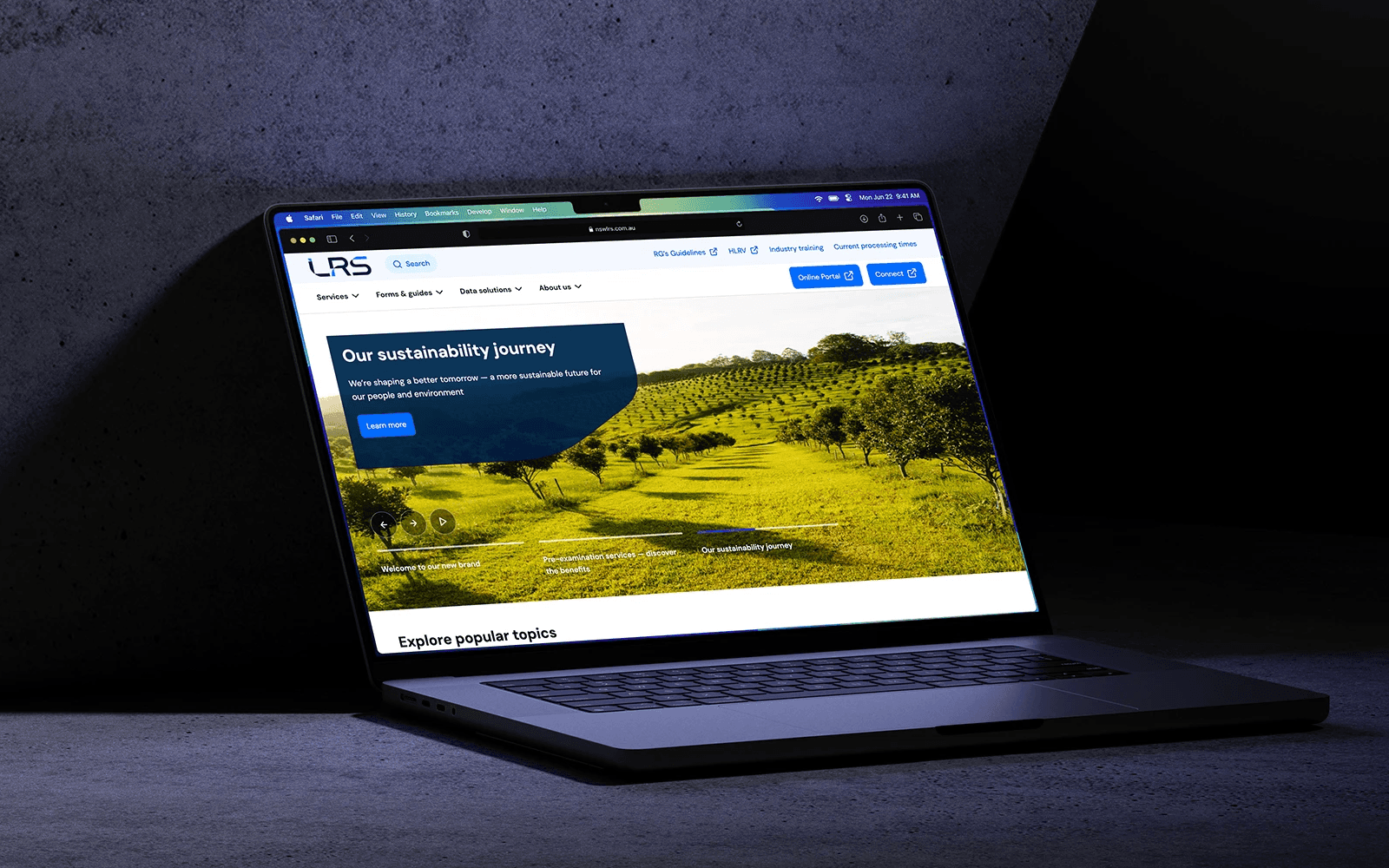
NSW Land Registry Services has been the single source of truth for land titles in the state for over 160 years. The website had become a victim of that history: sprawling content, duplicate pages, confusing layouts, and a legacy CMS that made updates painful.
The user problem
Surveyors, conveyancers, and legal professionals rely on this site daily. The navigation was a maze. The search was so ineffective that many professionals had resorted to using Google to find pages on the LRS website. Some had started asking ChatGPT. That's a broken experience.
The business problem
High volumes of preventable support calls. Users who couldn't find information online picked up the phone instead, creating operational inefficiency and driving up costs.
The goal
A company rebrand was the catalyst, but the real mission was creating an intuitive, self-sufficient digital experience for all NSW LRS customers.
My contribution
I was responsible for project direction from scoping through final design, balancing user needs with a tight 7-week timeline.
Defined the project roadmap
Worked with the client to establish achievable goals, activities, and deadlines.
Led all user research
Planned and facilitated discovery workshops with users and stakeholders, personally owned the information architecture definition including a comprehensive tree testing study.
Guided the design process
Collaborated on wireframes and mockups while leading all feedback sessions to ensure continuous validation.
Contributed to project governance
Worked alongside the project manager to manage risks and capture requirements.
Key insights
Professionals were using external tools to navigate an internal site
Our discovery workshops quickly validated assumptions about poor navigation. But they revealed something more telling: users were so frustrated that they'd developed workarounds using Google and ChatGPT to find information. When your users need external AI to navigate your website, the problem is undeniable.
General public outperformed experts in navigation testing
Our tree testing study produced a counterintuitive result. The general public had a higher task success rate than industry professionals. This insight was crucial. It meant the current structure wasn't just confusing for novices, it was actively working against the expert users who relied on it most. We used this finding to refine a single navigation structure that worked for both audiences.
A small number of topics drove most support calls
Analysis of customer support queries revealed concentration. A handful of topics were responsible for a large portion of call volume. Surfacing these directly would enable self-service from the moment users arrived.
The solution
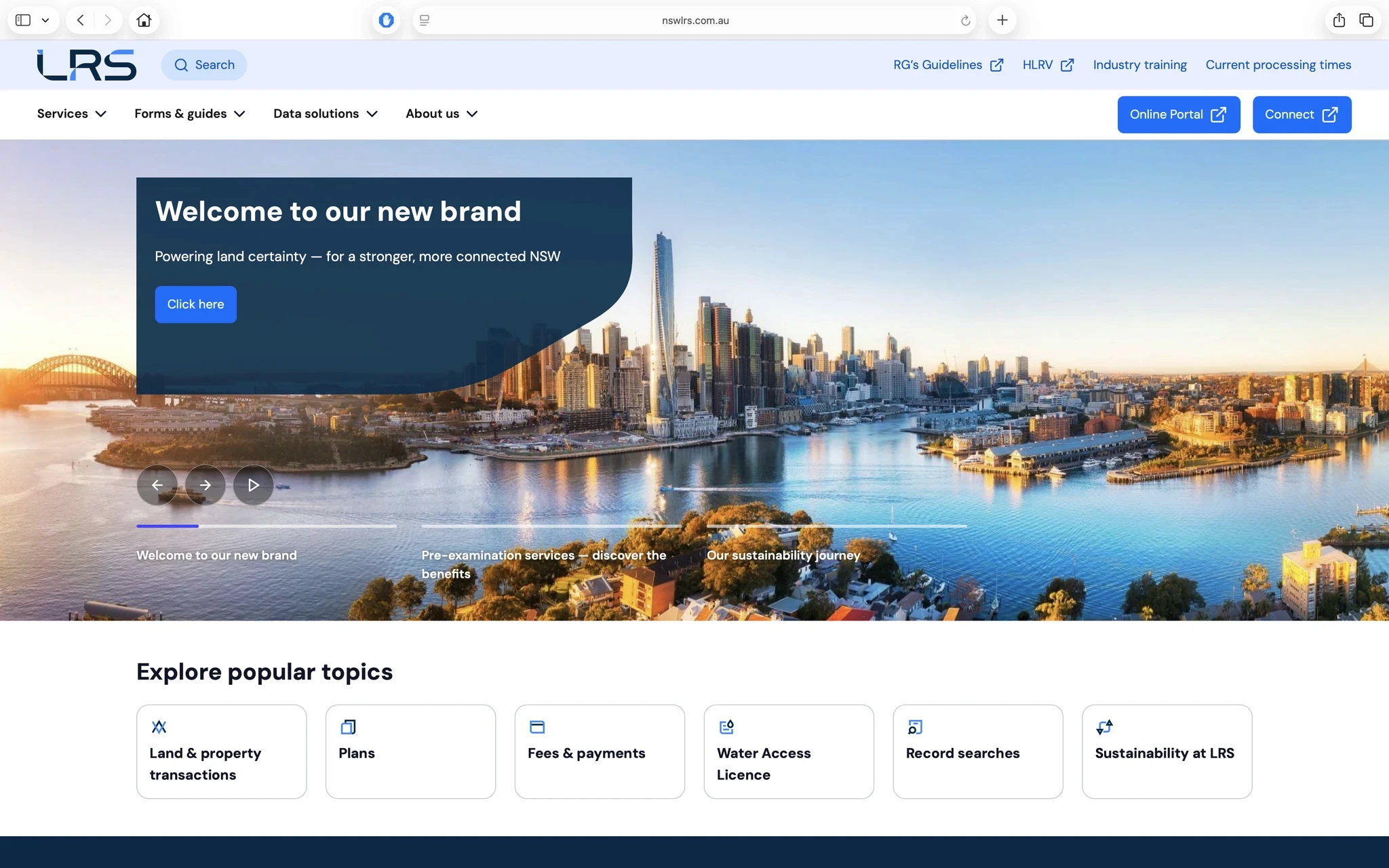
Popular Topics on the homepage
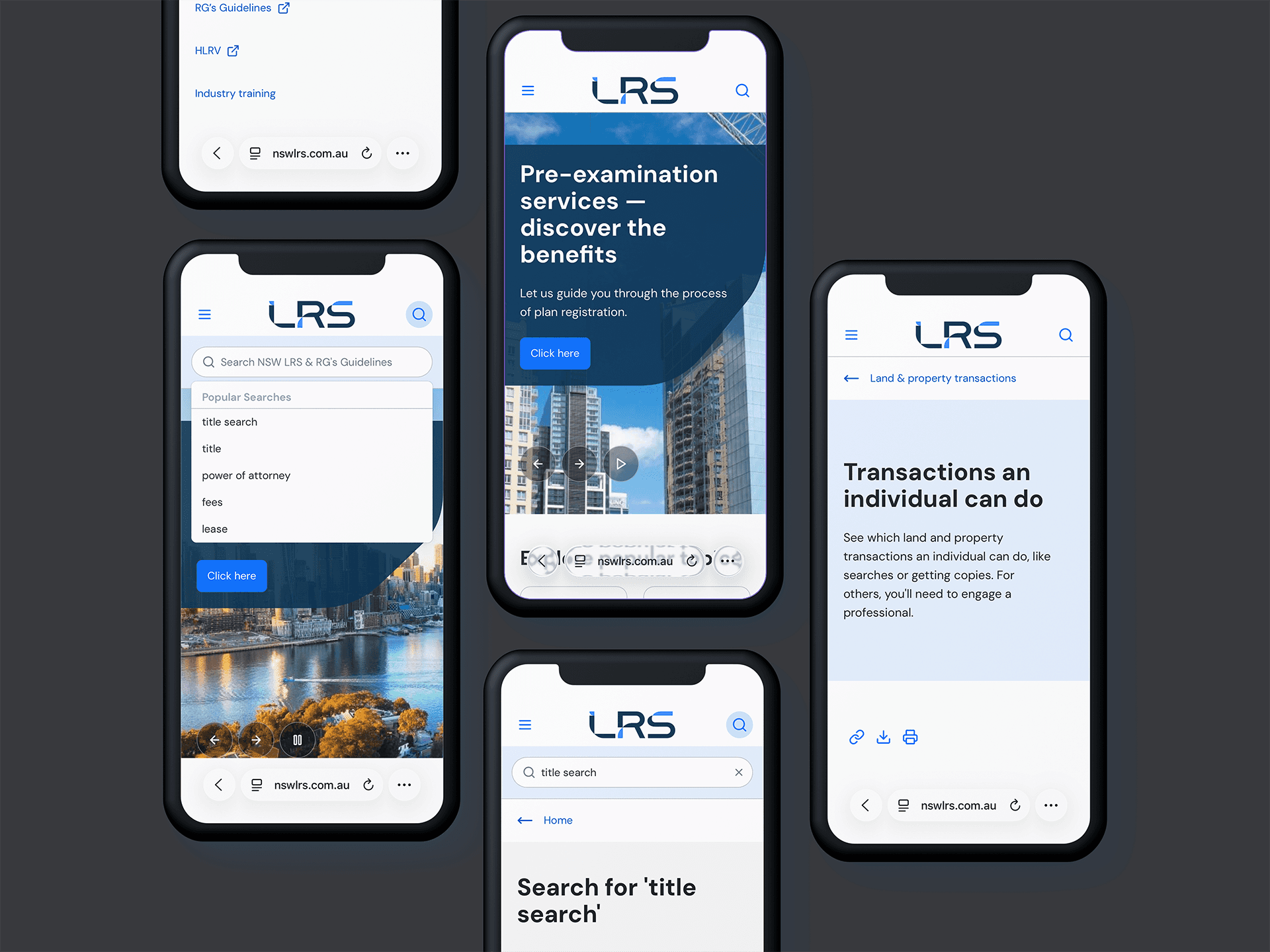
Directly below the main banner, we introduced a section surfacing the pages that drive the most support calls. Users get proactive answers to common questions without having to search or navigate. Self-service starts immediately.
Audience-filtered search
We completely rebuilt the search experience. The critical improvement: filters for "Individual" and "Professional" audiences. Different user groups need different information from the same query. This directly addressed the problem we'd identified in research, letting each user get relevant answers faster.
Sticky in-page navigation
Content-heavy pages are common on government sites. We designed a sticky navigation menu that shows page structure at a glance and lets users jump to relevant sections. Simple, but it significantly reduces scrolling and frustration on long regulatory content.
Results
Initial reception from stakeholders and industry professionals has been positive, with specific praise for the improved navigation and clean design.
More importantly, this project established measurement capability for the first time. The business will implement analytics to track behaviour and establish benchmarks. Combined with ongoing feedback channels, this enables data-informed iteration going forward.
Tamara Hitchcock
Director, Communications & Marketing @ NSW LRS
Reflection
Ruthless prioritisation makes tight timelines possible
Delivering full research and design in seven weeks required defining a tight scope and sticking to it. Managing stakeholder expectations about what was achievable was as important as the design work itself.
Start participant recruitment earlier than you think
The tree testing was successful, but I learned to be more proactive about securing participants at the project's start. Client-dependent communication channels can introduce delays.
The Popular Topics section should be dynamic
A clear next step is linking this section to analytics so it automatically surfaces high-traffic pages. The same Individual/Professional filters could personalise this further.
More work
Want to learn more about this project?
I'm looking for my next Senior UX or Product Design role.
Open to opportunities in Sydney, Copenhagen and Amsterdam.